This guide describes the current appliance. Availability, vendor features and access depend on your device firmware and Windows policies. Screenshots use the development UI with fictional addresses, users and device names; they contain no customer inventory.
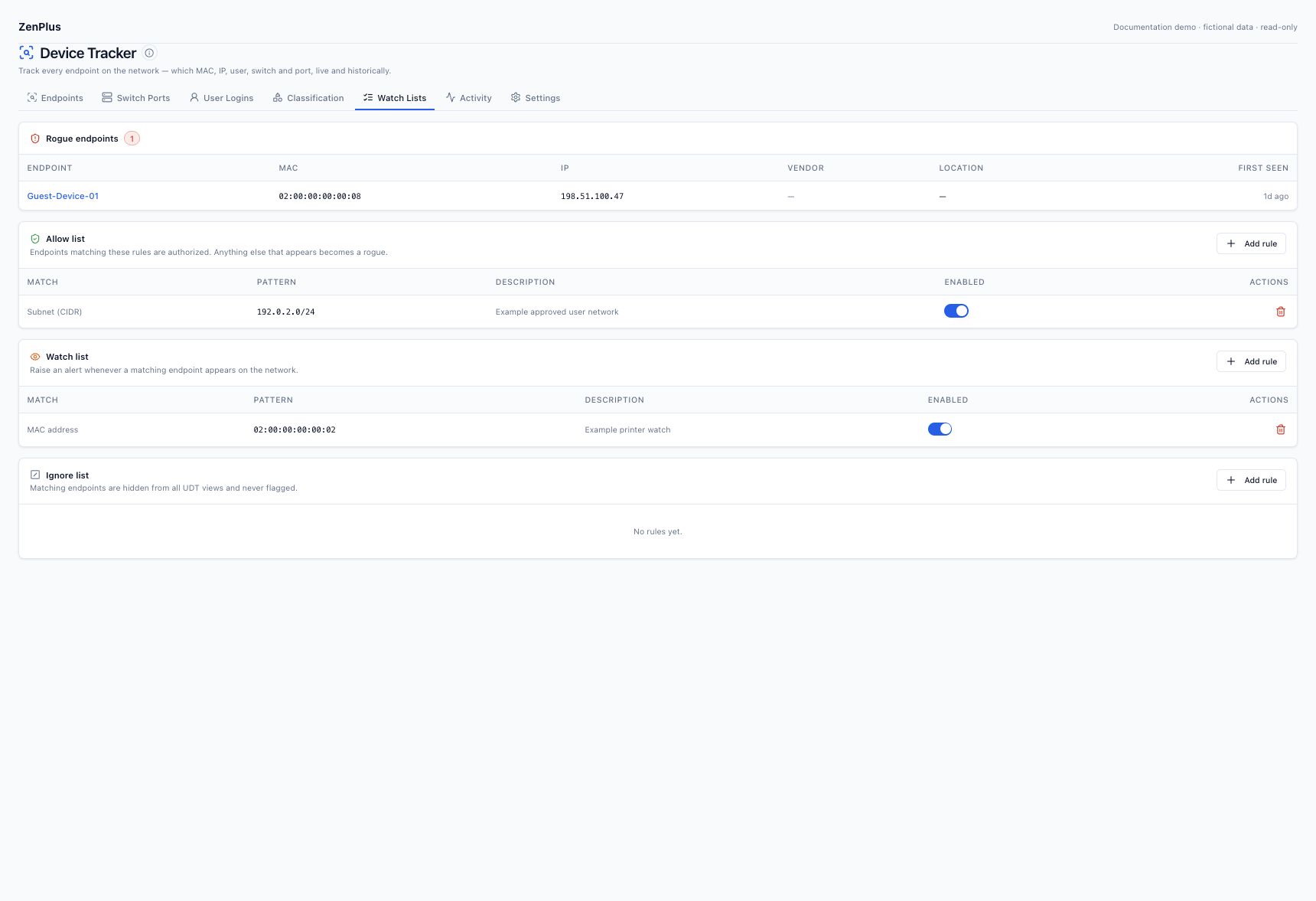
01 Understand the three policies #
| List | Purpose | Operator responsibility |
|---|---|---|
| Allow | Define the approved endpoint population used by rogue evaluation. | Choose meaningful scope; an IP/MAC pattern is not identity authentication. |
| Watch | Record a watch observation when a matching endpoint is seen. | Configure an alert rule and notification channel separately if delivery is required. |
| Ignore | Suppress matching endpoints from ordinary inventory/rogue workflows. | Document the exception and its effect on coverage. |
02 Establish an allow policy before rogue alerts #
With no enabled allow policy, a zero rogue count is expected. Once an allow policy is enabled, eligible endpoints outside it can become rogue. A rogue label means outside your configured approval policy; it does not by itself prove an attack. Manual endpoint decisions can take precedence, so inspect them when a rule result is unexpected.
03 Choose precise match types #
| Match | Fictional example | Use |
|---|---|---|
| MAC address | 02:00:00:00:00:02 | Watch a known interface; randomized MAC changes can break a long-term identity assumption. |
| MAC prefix | 02:00:00 | An intentionally scoped prefix, not automatic authorization for an entire hardware vendor. |
| Address / range / subnet | 192.0.2.40, 192.0.2.40 - 192.0.2.46, 192.0.2.0/24 | Review address reuse and the actual trust boundary. |
| Hostname / user | Workstation-*, example-user* | Use only available, verified hostname or correlated user evidence. |
| Vendor | A known manufacturer | Broad inventory policy only where justified; MAC/OUI can be spoofed. |
Glob patterns and match behavior are exposed by the selected rule type. Use valid MAC/CIDR/range syntax and inspect matches after saving. These controls do not enforce network admission or replace 802.1X / NAC.
04 Deploy policy in measured steps #
Review an observed baseline
Filter active inventory and verify representative hosts, ports and gateway sources.
Define limited approval rules
Start with an approved segment or known endpoint set. Document who owns the policy; avoid a universal allow merely to remove findings.
Inspect unexpected endpoints
Check physical/observed location, recent activity, MAC randomization and address history. Resolve legitimate exceptions before declaring an incident.
Review ignore exceptions
Keep them narrow and documented so missing endpoints are explainable.
Enable selected alerts
Configure the relevant UDT alert condition and an approved notification channel. Validate one test endpoint and delivery without disruptive port actions.
05 Add a watch rule #
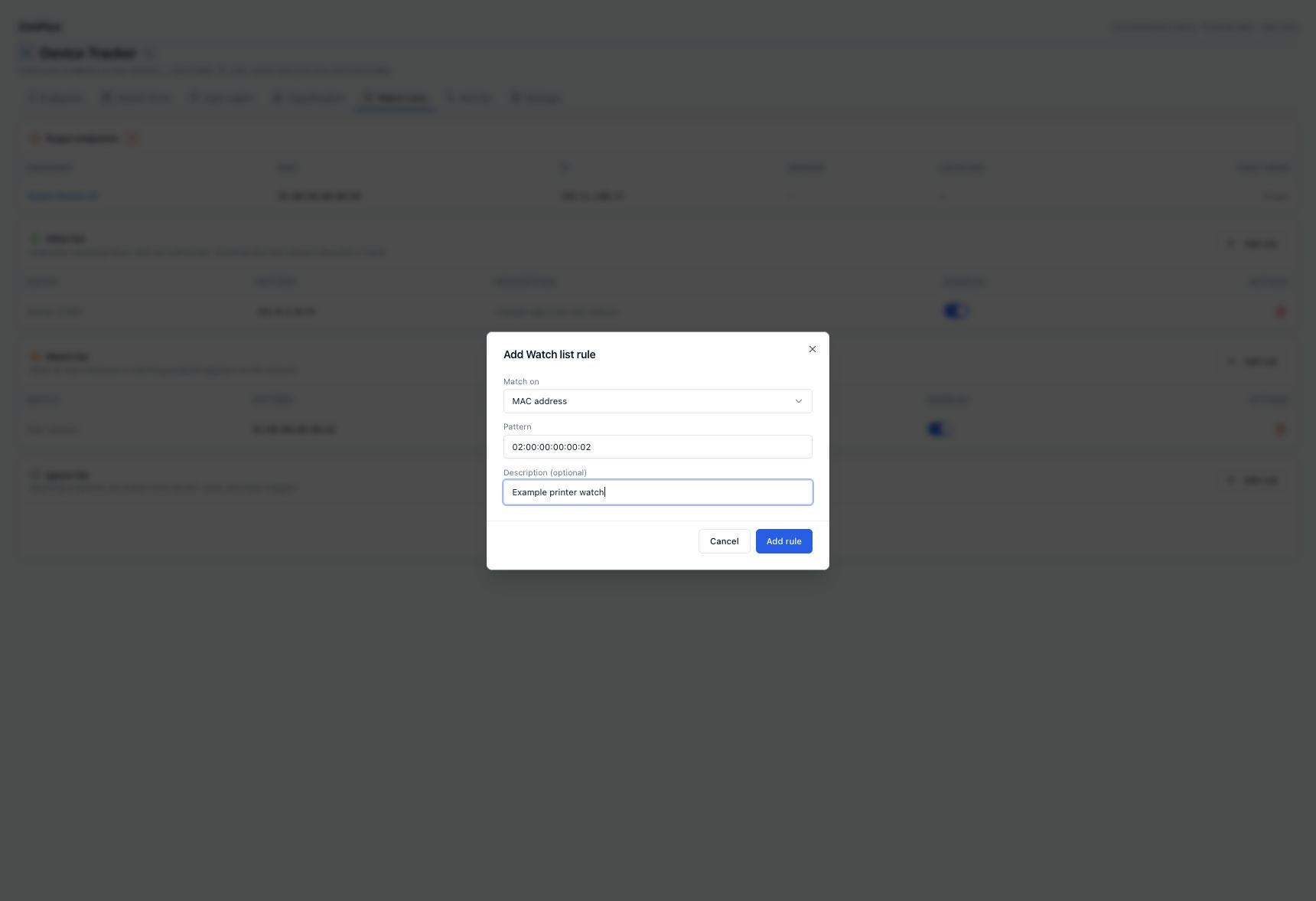
Open Watch Lists → Watch list → Add rule
Choose MAC address for a known interface or another supported evidence field.
Enter the fictional example
Pattern 02:00:00:00:00:02; description Example printer watch. Replace it with the approved real value privately in your appliance.
Save and verify
After the endpoint is observed, inspect its Watched label and Activity. Alert delivery requires a matching enabled rule/channel; adding a watch rule alone is not a delivery test.
06 Use ignore rules as documented exclusions #
Ignored endpoints are suppressed from ordinary UDT views/evaluation. Check enabled ignore rules and manual ignore state before treating missing inventory as collection failure. Ignoring is not a switch shutdown, traffic block or a supported method to erase audit history. Review exclusions periodically.
07 Connect observations to alert delivery #
| Condition | Purpose |
|---|---|
| New endpoint | A newly observed interface identity; randomization can create legitimate new entries. |
| Rogue endpoint | An eligible endpoint outside the configured approval policy. |
| Watched endpoint | A selected watch observation; duplicates are limited by the evaluator. |
| Endpoint moved | A collected attachment change; verify source-cache aging and topology. |
| Port capacity | A measured utilization threshold; unknown states are not free ports. |
Tune severity and notifications for the operational meaning of the condition. Preserve collection timestamps when investigating and verify the notification channel independently.