This guide describes the current appliance. Availability, vendor features and access depend on your device firmware and Windows policies. Screenshots use the development UI with fictional addresses, users and device names; they contain no customer inventory.
01 Select a switch and inspect its ports #
Open Switch Ports
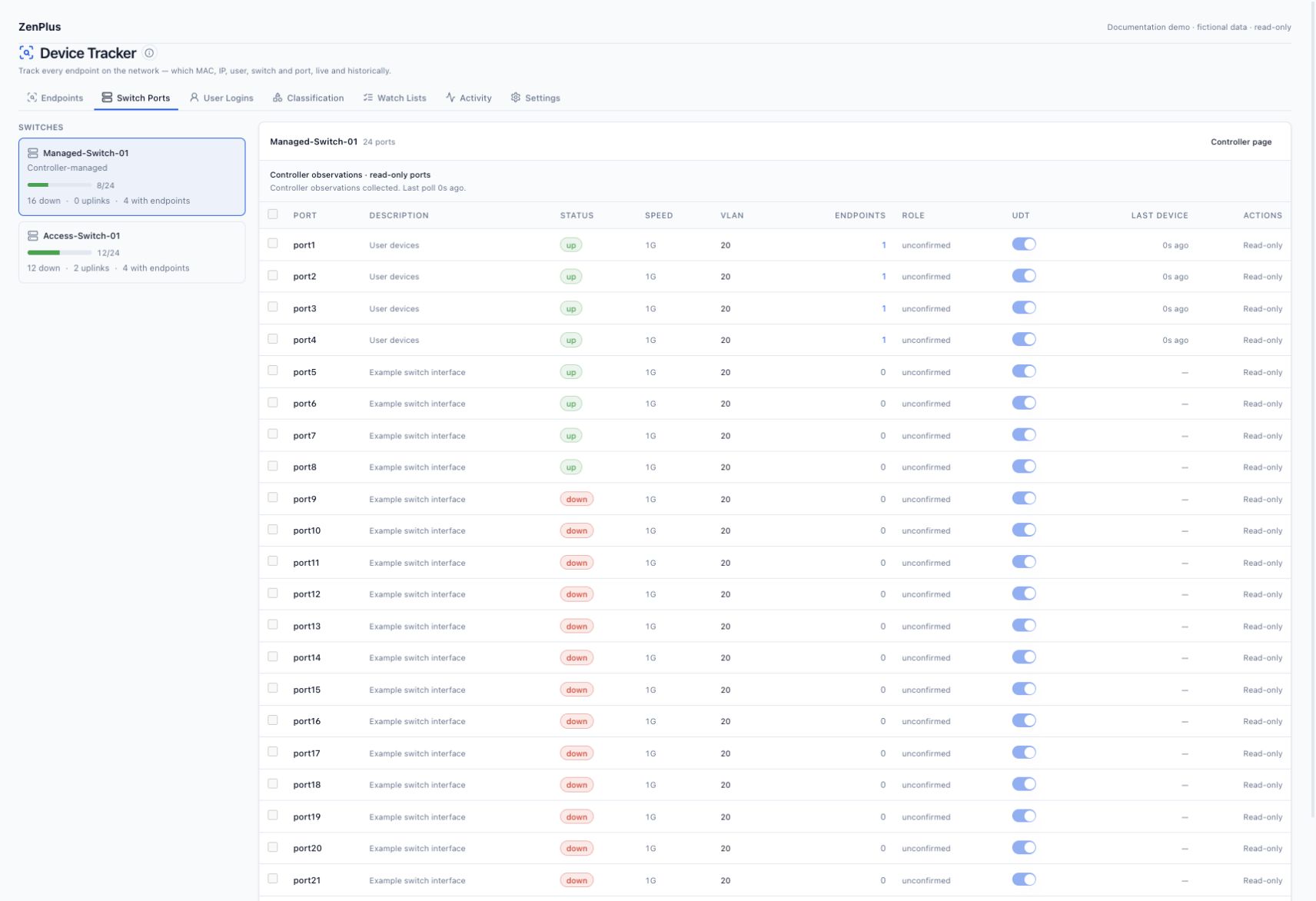
Select the desired switch from the left rail. Controller-managed children carry a Controller-managed badge.
Read collection status
Managed-switch rows show the parent collection result and last poll. A recent inventory response does not prove every optional MAC diagnostic succeeded.
Inspect operational state and VLAN
Up/down comes from supported operational data. Unknown stays unknown. Local child port names belong to the child switch.
Click the endpoint count
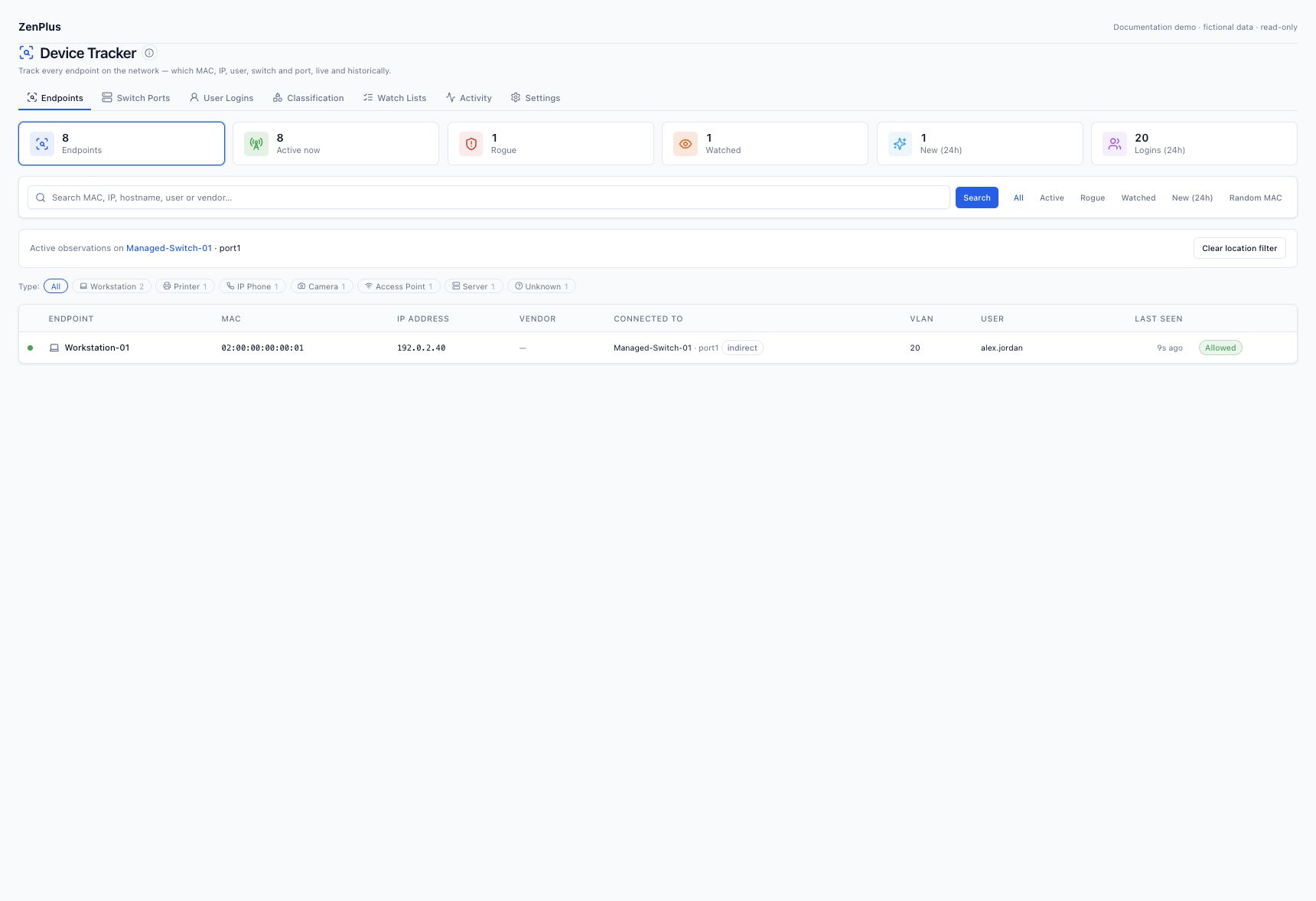
A nonzero count opens an endpoint list scoped to that switch and local port. Read its scope banner; Clear location filter returns to the wider inventory.
02 Controller-managed ports are read-only #
FortiGate controller collection can add child switch inventory without enrolling each child as a separately monitored device. Controller observations do not establish access/uplink classification, so the port role can remain unconfirmed and endpoint details show Observed port. The UDT switch identity is scoped to its controller and managed-switch identity; matching local port numbers on different switches are not interchangeable.
The Controller page button opens the parent monitored firewall. Child monitoring controls and administrative actions are disabled. A child port4 must never be sent to the firewall as its own ifIndex. For missing inventory or MAC evidence, use the Fortinet setup steps.
03 Direct switches: uplink classification #
For directly polled switches, topology evidence such as LLDP/CDP, trunk status and multiple learned MACs can classify an uplink. An operator may override a mistaken role where controls are available. Confirm the topology before doing so: APs, phones with downstream PCs, virtual hosts and unmanaged bridges can legitimately place many MACs behind one interface.
A direct label means the collector classified that port as access; it does not bypass physical verification. Controller child roles remain unconfirmed rather than accepting an unsupported override.
04 Read capacity conservatively #
| Metric | Operational meaning |
|---|---|
| Total | Collected inventory of ports for that switch. |
| Used / up | Ports with an observed operational up state; not necessarily endpoints or reserved circuits. |
| Down | Ports with an observed down state; cabling, reservations, admin status and PoE must still be checked before reuse. |
| Unknown | No supported operational state; never assume available. |
| Uplinks | Classified direct-switch uplinks. Controller unknown roles are not a complete uplink inventory. |
| With endpoints | Ports with recent MAC observations; multiple MACs on one port do not increase physical capacity. |
Review source freshness before using capacity for a change or purchase. Daily trends reflect observed link state, not a guarantee that every down port can be reassigned.
05 Administrative actions on direct ports #
Collection needs read-only SNMP. Direct-switch disable/enable requires an explicitly write-capable credential and udt.manage; the appliance confirms and audits the action. Port shutdown disconnects traffic, so use the approved change process. These actions are unavailable for controller children. Do not use shutdown as a discovery acceptance test.
06 Monitoring exclusions and history #
On a directly polled switch, a UDT exclusion stops learning from the selected port; it does not administratively shut down the interface or erase retained history. Existing observations age normally. Use exclusions only after checking the impact on endpoint coverage. Controller-managed ports cannot be individually toggled through these direct-switch controls.