This guide describes the current appliance. Availability, vendor features and access depend on your device firmware and Windows policies. Screenshots use the development UI with fictional addresses, users and device names; they contain no customer inventory.
01 Search and filter inventory #
Open Endpoints
Go to Device Tracker → Endpoints. Search a MAC, IP, hostname or vendor. Username search requires user-data permission.
Narrow the result
Use Active, Rogue, Watched, New (24h), Random MAC and endpoint-type filters. An active entry was seen within 15 minutes; it is not a fresh ping result.
Check identity before opening
Compare the full MAC and timestamp. Hostnames and addresses can be reused; one workstation with multiple interfaces can have multiple MAC identities.
Open the row
Read connection history, current IP evidence and login activity. Validate a source and timestamp before assigning physical location or ownership.
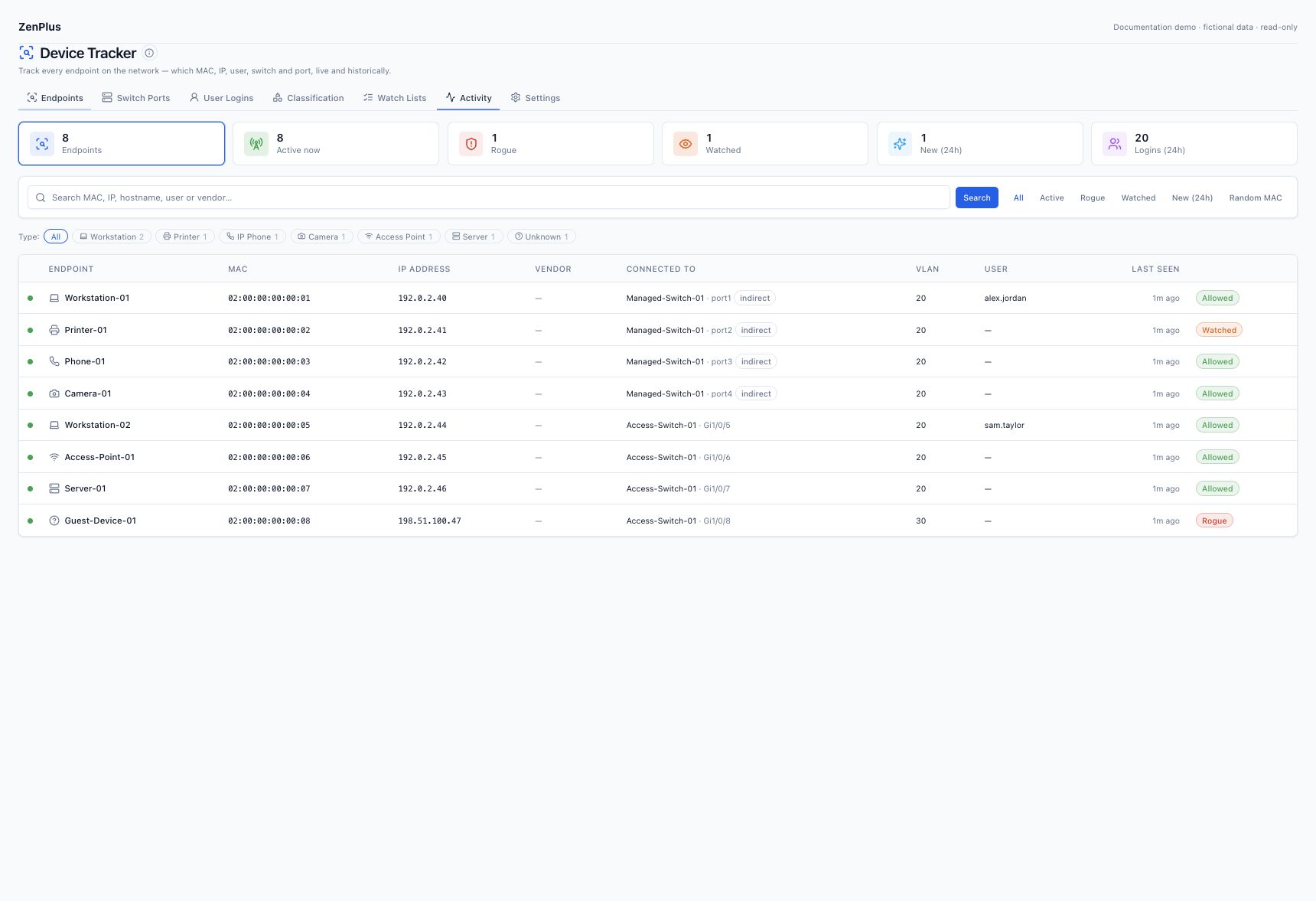
02 Interpret the columns #
| Column | Meaning |
|---|---|
| MAC | Observed interface identity. A locally administered/random address may have no reliable hardware vendor. |
| IP address | Observed address association; inspect its reporting gateway and history. |
| Connected to | Best available switch/port observation. Indirect does not establish a direct access port. |
| VLAN | Observed or mapped VLAN; unavailable/ambiguous data stays unknown. |
| User | Recent correlated authentication activity, where permission allows; not proof of continuous use. |
| Last seen | Source observation freshness. Offline state preserves historical inventory. |
03 Read the endpoint detail #
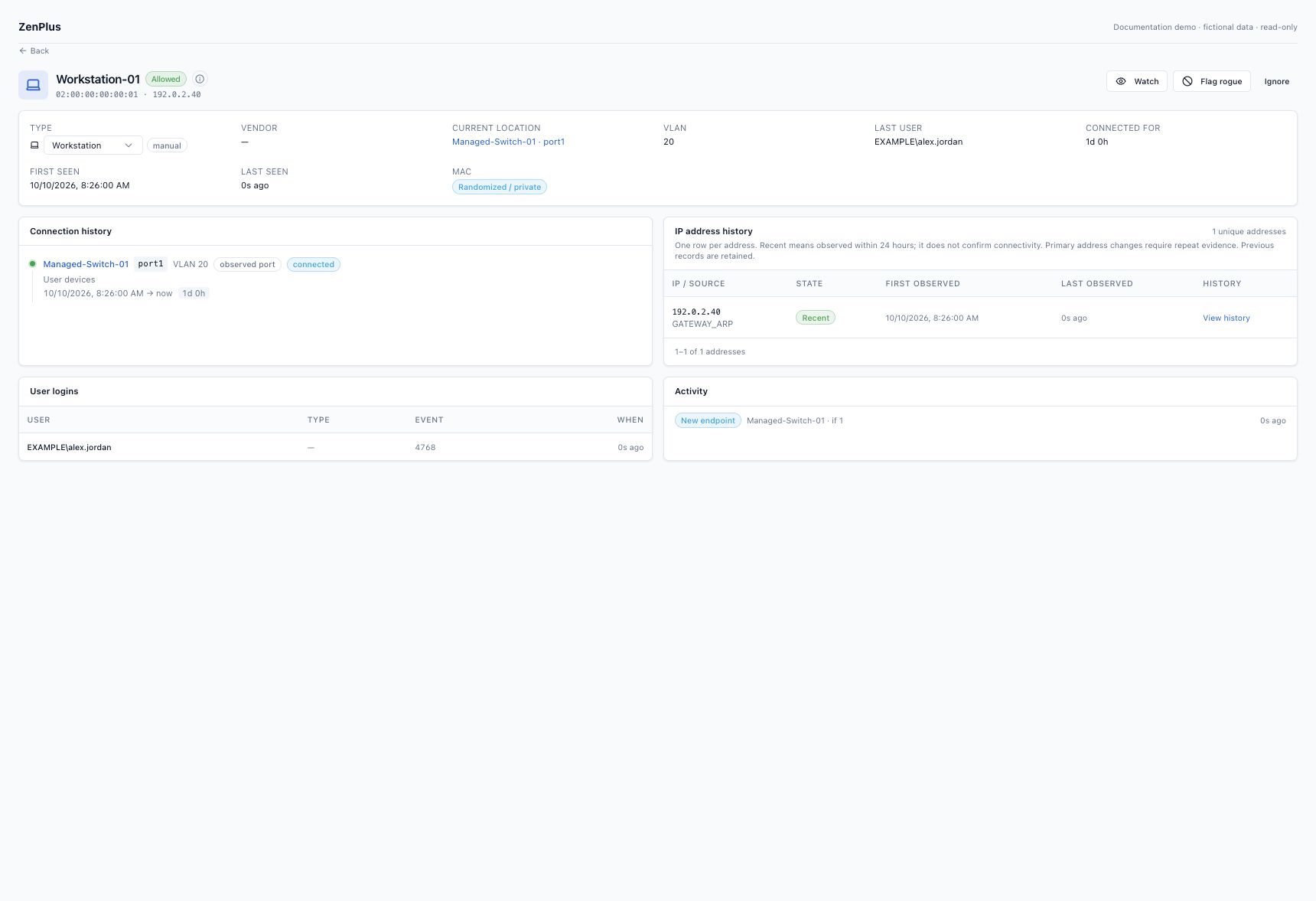
Use Current location and Connection timeline together. A controller location is shown as Observed port. The switch link opens its port workspace. Expand additional sightings where available; a MAC on an upstream port is not another physical device.
04 Check attachment periods #
Each period records switch, local port, VLAN, first/last observation and whether it is active or closed. A move may temporarily overlap while upstream and old switch tables age. A 15-minute observation gap closes current attachment state while keeping history. Compare the source time and topology before changing an uplink override.
05 Inspect IP history and reporters #
Open the address row
IP history summarizes one address with its first/last times and active state.
Choose View history
Inspect retained periods rather than treating all observations as a continuous lease.
Inspect reporter evidence
Review the gateway, routed interface, source, observation count and repeated/legacy status. Three recent observations from the same evidence key are required for positive replacement; overlapping candidates are not exclusive ownership.
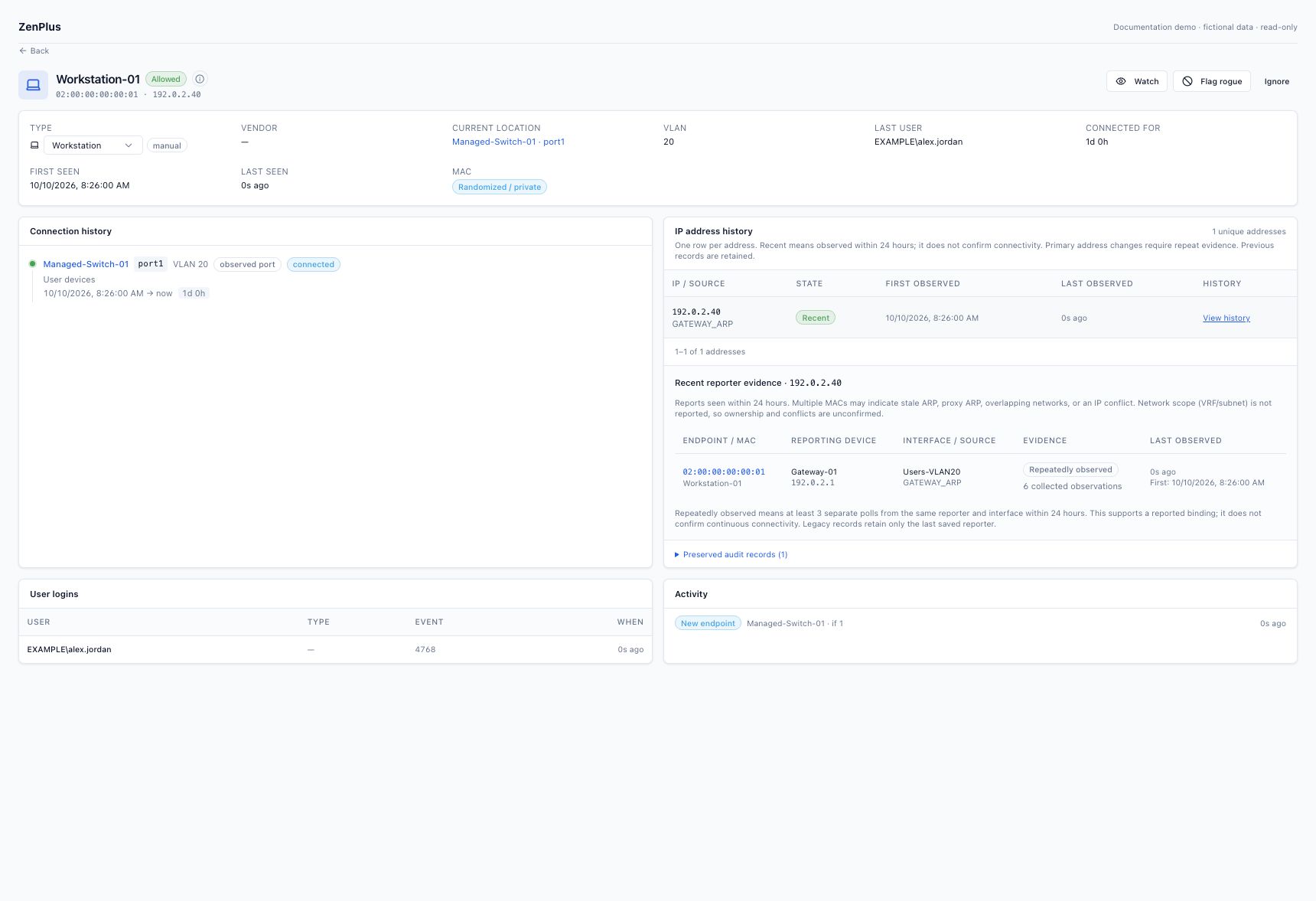
DHCP reuse, roaming and overlapping routing contexts can produce more than one candidate. Do not delete history to force a clean-looking address mapping.
06 Understand randomized addresses #
A locally administered MAC can be valid but cannot reliably identify the hardware manufacturer from its prefix. Keep unknown vendor rather than inventing an OUI match. Use an approved hostname rule or manual endpoint type when you have supporting inventory evidence.
07 Investigate Activity and alerts #
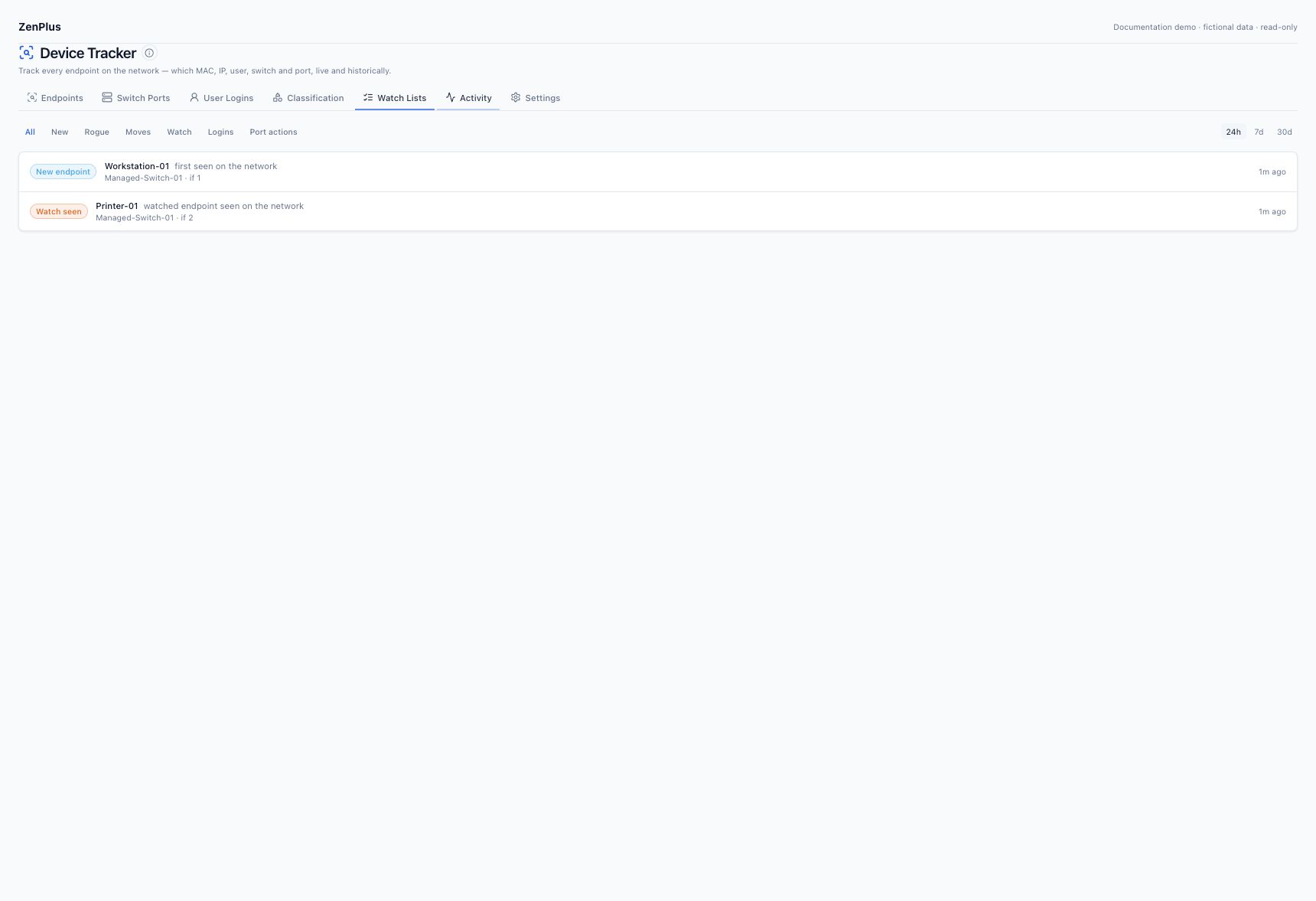
Filter Activity by event type and time range, then open the related endpoint. New, moved, watched and rogue events depend on collected evidence and configured policy. Alert delivery additionally depends on enabled alert rules and notification channels. A delayed poll or cache expiry is not a confirmed device outage.